Binance and some other exchanges don’t work in Nigeria again, but that doesn’t mean your USDT is stuck on Binance or anywhere else. Withdrawing USDT off any exchange and turning it into cash still works the same way it always has.
Here’s how to withdraw your USDT from whichever exchange holds it, the one network mistake that can cost you the whole transfer, and how fast the cash actually lands.
How to withdraw your USDT from any exchange to cash using Breet
The steps are the same whether your USDT is sitting on Binance, Bybit, Bitget, KuCoin, or another centralized exchange. Get a Breet address, pick the right network, withdraw, confirm the rate, get paid. Only the menu labels change from app to app.
Step 1: Get your Breet deposit address
Before you send anything from any exchange, create a Breet account and generate a USDT deposit address. Once your account is set up, from the dashboard, click on “sell,” then select USDT from the list of coins displayed.
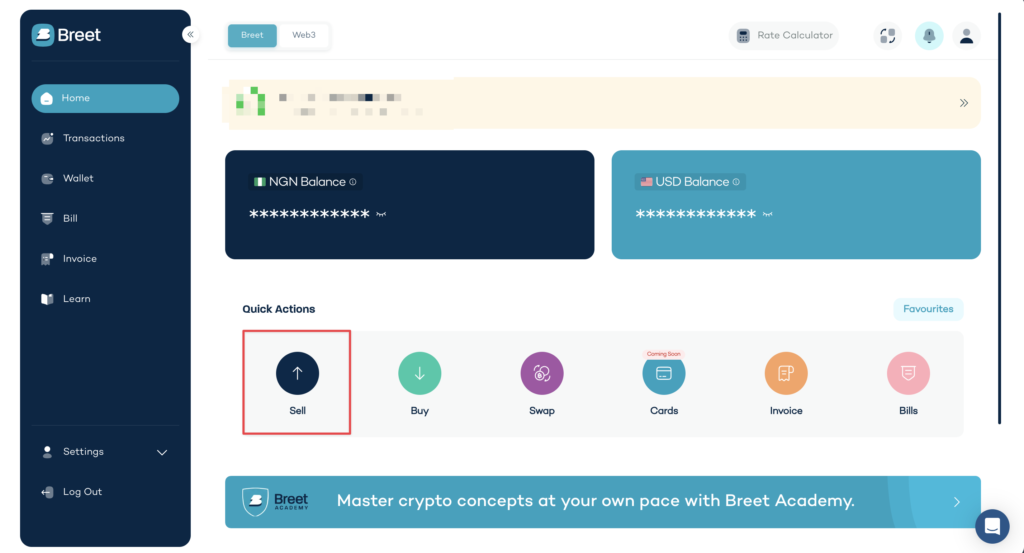
Breet builds a separate wallet address for each asset, and it names the token and the network on that address, so there’s no guessing which one you’re looking at, regardless of which exchange the funds are coming from.
This step matters more than it looks. Getting the address and network sorted before you touch your exchange means you’re not making decisions under pressure once a withdrawal is already pending elsewhere.
Step 2: Pick the right network and copy the address before you hit withdraw
After selecting USDT, you need to select the network for your withdrawal, then copy the deposit address. This is the step that can cost you the entire transfer, not just a bad rate, and it works the same way whether you’re withdrawing from Binance, Bybit, Bitget, or KuCoin.
Breet supports USDT withdrawals on six networks: TRC20 (Tron), ERC20 (Ethereum), Polygon (MATIC), Ton, BSC, and Solana. If your exchange sends the withdrawal on a network Breet doesn’t monitor for that address, the funds don’t arrive, and there’s usually no way to get them back.
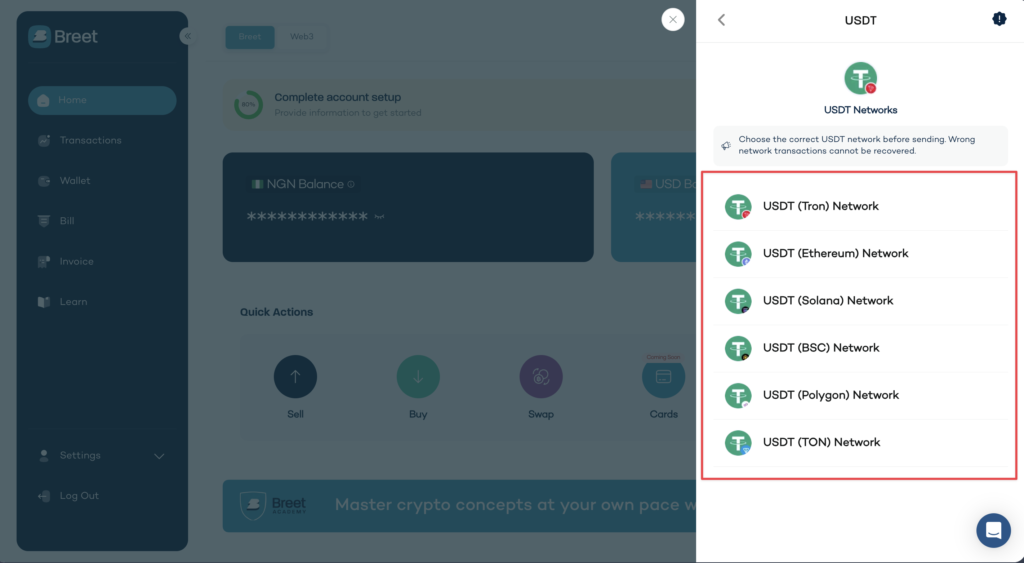
Match the network to what your Breet deposit screen shows before you confirm anything on the exchange side. Bybit, Bitget, and KuCoin all present the same choice on their own withdrawal screens (asset, then network, then address), so the check is identical no matter which one you’re using. TRC20 usually carries the lowest network fee, which makes it the default recommendation.
If you’re already holding funds on Ethereum or Polygon, using ERC20 or MATIC to avoid an extra swap is a reasonable trade-off too. And don’t assume Tron fees are always negligible just because they’re usually the cheapest option; network fees aren’t as simple as they look, and it’s worth understanding what actually drives them up.
Step 3: Confirm the rate, then let it convert
On the deposit address screen, the rate is shown and confirmed before anything converts. Breet auto-converts the USDT you receive at the rate shown at confirmation.
There’s no P2P counterparty step at any point in this sequence, no chat window, no waiting on someone else to confirm they’ve received their side of the trade, and no rate quietly moving while a trade sits open.
Step 4: Get paid out to your bank account
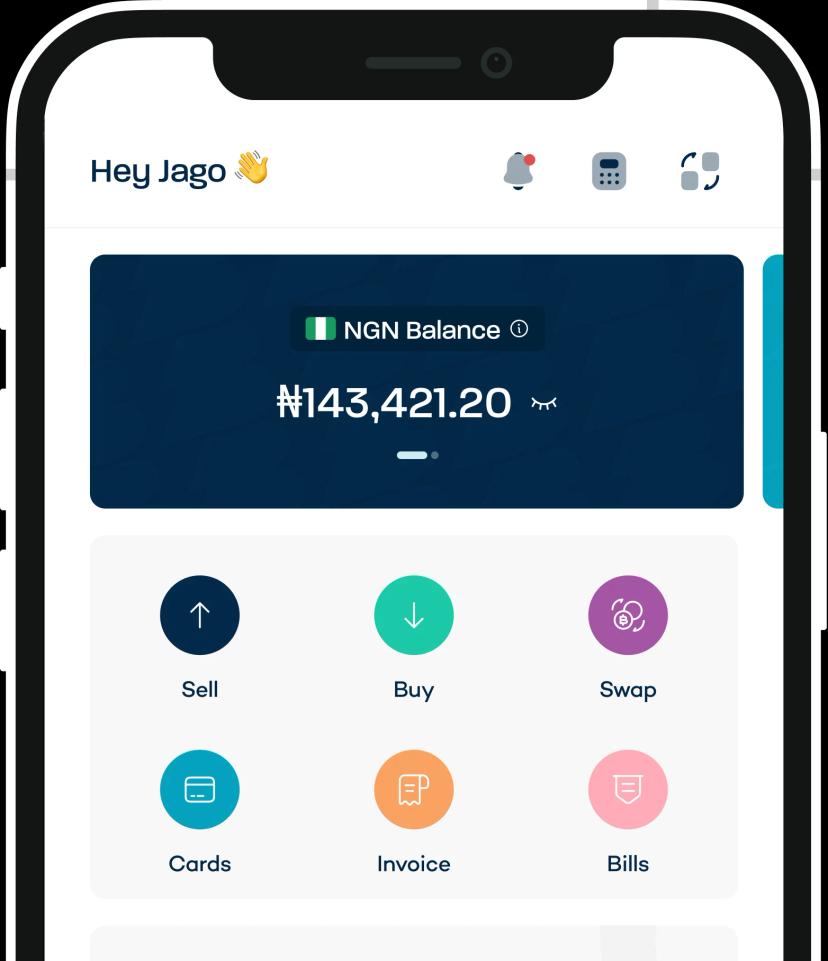
Breet credits your wallet immediately after the on-chain confirmation. After the payment lands in your Breet wallet, you can manually withdraw to your linked Nigerian or Ghanaian bank account, which takes under 5 minutes depending on your bank network.
Turn on Automatic Settlement, and Breet pays the converted amount straight to your linked bank account with no manual withdrawal request needed on your end.
Ready to move your funds the direct way? Create a Breet account, generate your USDT deposit address, and send funds to the address for cash out.
Your USDT was never the problem. The cash-out way was
Whichever exchange your USDT sits on, it was never stuck. The route to cash just runs through a direct blockchain withdrawal instead of a P2P trade.
- No counterparty, on any exchange. Breet converts directly, so there’s no P2P chat and no exposure to a reversed transfer from a stranger.
- The rate locks before conversion, not after. You see the number before anything moves, not once a trade is already open.
- One platform on your bank statement, not a pattern of third-party P2P deposits.
Ready to get your USDT out and into your bank account? Sell your USDT on Breet and skip the P2P wait entirely.