
You set a target in your head, sell BTC at a certain price, then spend the day refreshing a price app at work, or miss the move entirely while you sleep.
A crypto alert app is supposed to fix that. It watches the market and pings you when a coin hits the price you set, and most do that part well enough.
The problem is what happens next. Exchange alerts keep you inside the exchange, tracker apps just tell you the number moved, and either way you end up bouncing between a tracker, an exchange, and a cash-out app while the rate slides away. A 3 am false alarm doesn’t help either.
So the best crypto alert app isn’t only the one that notifies you. It’s the one you can act on. Here are the 8 best, ranked, free and paid, judged on reliability, accurate triggering, channels, cost, and whether you can do something the second it fires.
The 8 Top crypto alert apps
Here are the 8, with dedicated alert tools separated from exchanges and trackers that merely include alerts. Only one lets you cash out inside the same app.
| App | Best for | Alert types / channels | Can you act on it? | Pricing |
| Breet | Act on the alert, not just receive it | Target-rate, push + email | Yes, cash out in-app | Free alerts |
| Cryptocurrency Alerting | Power users, every alert type | Price, volume, more; 9+ channels | No | Free + ~$3.99/mo |
| CoinMarketCap | Simple, trusted tracking | Target price, push | No | Free |
| The Crypto App | Alerts, news, portfolio in one | Price alerts, push | No | Free + paid |
| TradingView | Chart traders | Indicator, trendline, strategy; push/email/SMS/webhook | No | Free + paid |
| Coinwink | Dead-simple, no account | Email, SMS | No | Free (SMS ~$12/mo) |
| CoinStats | Portfolio tracking + alerts | Price alerts, push | No | Free + paid |
| Binance | Alerts where you already trade | Price alerts, push | Only on-exchange | Free |
1. Breet: best for holders who want to act on the alert, not just receive it
Breet is a crypto conversion app where the price alert and the cash-out live together. Every app so far stops at the notification. Breet is the one that also lets you act on it.
Set a target rate and put your phone down
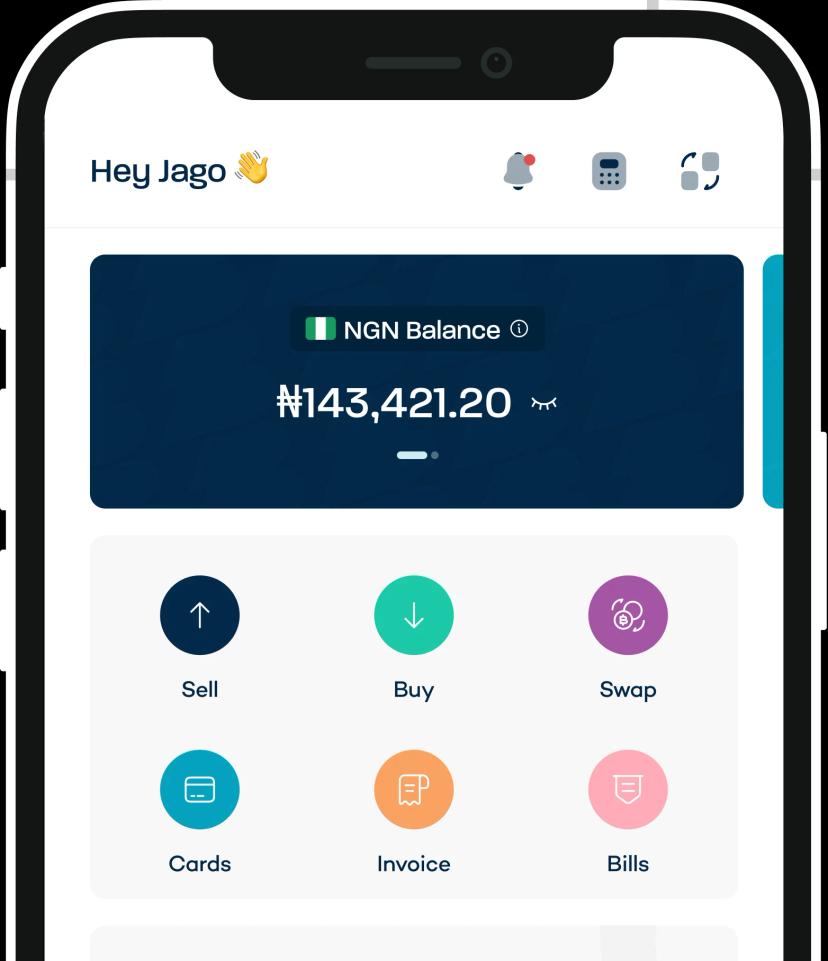
Pick a coin, set the rate you care about, and Breet notifies you the moment it’s hit, by push and email. You can run up to 5 active alerts, a feature introduced in Breet 3.0. The setup is deliberately simple, so a beginner can do it in under a minute.
Act on the alert without switching apps
When the alert fires, you convert that crypto to naira or cedis right there, with the money settled to your bank account. No bouncing between a tracker, an exchange, and a cash-out app while the price moves.
No P2P, so the rate doesn’t vanish while you wait
Breet converts directly rather than matching you with a stranger, so there’s no counterparty to stall when the market spikes. That’s the exact failure point behind “the rate dropped before I could withdraw.”
Free alerts and real 24/7 support
The alerts cost nothing, and support is always-on through in-app chat, so a late or missed notification isn’t met with silence.
Pros: closes the alert-to-cash loop; free; beginner-simple; built for Nigeria and Ghana; direct bank payout.
Cons: up to 5 active alerts; available in Nigeria and Ghana only.
Pricing: free for alerts.
Download Breet and set your first crypto alert today.
2. Cryptocurrency Alerting: best for power users who want every alert type
Dedicated alert tool. Cryptocurrency Alerting is the power user’s notification engine. It covers just about every trigger type: price targets, percentage moves, volume spikes, moving-average crossovers, new-coin listings, whale transactions, and even fear-and-greed shifts.
Alerts are delivered across 9+ channels, including email, SMS, Telegram, Discord, Slack, webhooks, and phone calls, so you can route different alerts to different places.
Key features:
- Every major alert type, from price to on-chain and social signals.
- 9+ delivery channels including phone calls and webhooks.
- Recurring alerts, daily digests, and per-alert routing.
Pros: unmatched depth, reliable delivery, flexible channels.
Pricing: a free tier covers basic price alerts; paid plans start around $3.99/month and scale with alert volume and channels.
Cons: the sheer breadth can overwhelm a casual holder, and, like every pure-alert tool, it stops at telling you what happened. You still act somewhere else.
3. CoinMarketCap: best free tracker with simple alerts
Tracker with alerts. CoinMarketCap is the reference price app most people already have installed.
It tracks 10,000+ coins with charts, market caps, and exchange listings, and its alerts let you set a target price on any coin and get a push notification when it’s hit.
Because it’s the industry’s default data source, the prices are trustworthy, and the core app is free.
Key features:
- Price data on 10,000+ coins with charts and market data.
- Target-price alerts by push notification.
- Watchlists, portfolio tracking, and a news feed.
Pros: free, trusted data, familiar interface, huge coin coverage.
Cons: alerts are push-only (no SMS or email), triggering is basic (a fixed target, not conditions), and it’s a tracker first, so once the alert fires you act somewhere else entirely. Best as a reliable free watchlist rather than a trading tool.
4. The Crypto App: best all-in-one tracker with news
Tracker with alerts. The Crypto App bundles price alerts, market news, and portfolio tracking into one clean interface, and it’s earned a 4.3-star rating and over a million downloads.
You get customizable price and percentage alerts, a curated news feed, and a portfolio that syncs across coins, which is why users rate it one of the simpler all-in-one tools.
Key features:
- Price and percentage-move alerts by push.
- Aggregated crypto news and market sentiment.
- Portfolio tracking with a free and a Pro tier.
Pros: a lot in one app, clean design, generous free tier.
Cons: the free tier carries ads, and some reviewers report notification lag. One noted the app “seems to have a delay in favor of the app, so you cannot make the most out of it.” (Google Play) Removing ads and unlocking advanced alerts needs the paid Pro subscription, and like every tracker here, it notifies but doesn’t help you act.
5. TradingView: best for chart traders
Pro charting tool. TradingView is the serious trader’s charting platform, and its alert engine is the most sophisticated on this list.
Alerts can trigger not just on price but on technical indicators, trendlines, drawings, and full custom strategies, firing across push, email, SMS, pop-up, and webhook (which can even drive automated trades on connected platforms).
It also has the best charts in the business and a huge library of community scripts.
Key features:
- Alerts on indicators, trendlines, and custom strategies.
- Delivery by push, email, SMS, pop-up, and webhook.
- Industry-leading charts and shared community scripts.
Pros: unmatched charting, powerful conditional alerts, webhook automation.
Pricing: a free plan with limited active alerts; paid plans (roughly $13 to $60/month) raise the alert count and features.
Cons: it’s overkill and intimidating for a casual holder who just wants a sell ping, and the free plan’s alert limits are tight.
6. Coinwink: best for dead-simple alerts with no account
Dedicated alert tool. Coinwink is radically simple. There’s no app to download and no account to create: you enter a coin, a target price, and your email or phone number, and it watches the market and alerts you when the price is hit.
That “set it and forget it” design is the entire appeal, and it’s genuinely useful for someone who wants a single alert without installing anything.
Key features:
- No sign-up and no app; works from the browser.
- Email alerts free; SMS alerts available.
- One-time or repeating alerts on major coins.
Pros: the simplest tool here, zero friction, free for email.
Pricing: email alerts are free; SMS alerts run about $12/month.
Cons: it’s bare-bones by design, with no charts, portfolio, or advanced conditions, and SMS costs add up over time. Like every tool in this bracket, it stops at the alert. You still go elsewhere to actually sell.
7. CoinStats: best for portfolio tracking plus alerts
Tracker with alerts. CoinStats is built around portfolio tracking. It connects to 300+ exchanges and wallets so your entire holdings, including DeFi positions, sit in one dashboard, with price alerts layered on top.
If your real goal is watching net worth across scattered accounts, this is one of the strongest options, and the alerts keep you posted on the coins you actually hold.
Key features:
- Portfolio sync across 300+ exchanges and wallets.
- Price alerts plus news and market data.
- DeFi and NFT tracking in the same app.
Pros: an excellent multi-account portfolio view, broad integrations, solid alerts.
Pricing: a free tier with limits; a Premium plan (around $14/month, cheaper annually) unlocks more connections and alerts.
Cons: several useful features sit behind the paywall, account syncing can occasionally lag, and it’s a dashboard rather than a cash-out route. You still leave the app to sell.
8. Binance: best if you already trade there
Exchange that also alerts. Binance is the world’s largest crypto exchange, and if your coins already live there, its built-in price alerts are a free, convenient add-on.
You can set target-price alerts on any listed pair from the app, and because you’re already on the platform, you can trade the moment one fires, with no app-switching for on-exchange orders.
Key features:
- Free target-price alerts on any listed pair.
- Alerts inside a full trading and earn platform.
- Push delivery through the Binance app.
Pros: free, convenient if you already trade there, instant on-exchange execution.
Cons: the alerts are basic (a price target, not conditions), and for Nigerian and Ghanaian users the bigger catch is that acting on the alert keeps you inside the exchange. It doesn’t get you to local naira or cedis, and Binance’s Nigerian access has faced regulatory restrictions and account freezes. Comparing exchanges?
How to choose the right crypto alert app for you
The best app depends on which of these you are:
- “I just want to sell at my target.” Breet, because you can act on the alert in the same app.
- “Total beginner, keep it free and simple.” Breet or CoinMarketCap.
- “I track a whole portfolio.” CoinStats or The Crypto App.
- “I trade off charts.” TradingView
- “I want every alert type and full control.” Cryptocurrency Alerting or Coindera.
An Alert You Can’t Act On Is Just a Notification
The ranking isn’t really about who pings you. It’s about what you can do the second it pings. Any of these apps will tell you the price moved. One of them lets you do something about it before the move is gone.
Breet’s edge, in short:
- Free real-time alerts, by push and email.
- Instant crypto-to-cash to your Nigerian or Ghanaian bank account.
- No P2P wait when the rate spikes.
- 24/7 in-app support.
The traders who profit aren’t the ones watching most closely. They’re the ones who can act fastest when the alert fires.
Set your target on Breet and cash out the moment it hits.
Frequently Asked Questions
Are crypto alert apps safe to use?
Yes, the reputable ones are. Alert-only tools don’t need access to your funds, and apps like Breet secure your account with 2FA and encrypted transactions. Download only from official app stores to avoid clones.
Do crypto alert apps cost money?
Most offer free alerts. Extras like SMS delivery (Coinwink, around $12/month) or advanced alert types (Cryptocurrency Alerting, around $3.99/month) can cost. Breet’s alerts are free.
Do I need to register to set an alert?
Usually yes, though a few like Coinwink work without an account. On Breet you register once (under a minute) and get alerts plus cash-out in one place.
Do alerts work if my phone is off?
Push notifications need a connection to arrive, and even Robinhood warns it “can’t always guarantee delivery of push notifications.” Email and SMS alerts are more reliable when you’re offline for a while.
Can I set alerts for coins other than Bitcoin?
Yes. Every app here covers major coins, and most track hundreds or thousands. Breet supports 40+ assets.
What’s the difference between a standalone crypto alert app and an exchange alert?
A standalone app (like Coinwink or Cryptocurrency Alerting) only notifies you. An exchange alert (like Binance) notifies you where you already trade but keeps you inside that exchange. Breet is the exception: it alerts you and lets you convert to local cash in the same app.