- What is a USDT TRC20 contract address?
- A contract address is not the same as a wallet address
- You need the contract address when adding USDT as a custom token
- How to check any TRC20 address before you send
- TRC20 vs ERC20 vs BEP20: which USDT network should you use
- Common mistakes to avoid when using the USDT TRC20 contract address
- Have USDT TRC20 and want Naira or Cedis? Here is how to cash out
- Use TRC20 the smart way
- Frequently Asked Questions
Imagine trying to send money to a friend, but you don’t have their correct account number.
You’d probably lose the money, or it wouldn’t go through, right? That’s exactly how it works in crypto.
When sending USDT (Tether), you need the right type of address depending on the network. One of the most popular and affordable networks is TRC20, which runs on the TRON blockchain.
In this article, we’ll break down what a USDT TRC20 contract address is, how it works, why it’s useful, and most importantly, how you can get one easily in just a few steps.
What is a USDT TRC20 contract address?
TRC20 is a token standard on the TRON network. It defines how tokens like USDT behave on that blockchain, similar to how ERC20 works on Ethereum. TRC20 is one of the most popular USDT networks, mostly because transactions are fast and fees are low compared to other blockchain networks.
A contract address is the specific address that holds the rules for how a token behaves on the blockchain. For USDT on TRC20, the contract address is the official source of the token on the TRON network. It is not the same as your personal wallet address.
The verified USDT TRC20 contract address is:
TR7NHqjeKQxGTCi8q8ZY4pL8otSzgjLj6t
You can verify the contract address yourself on the Tronscan contract page. This address is fixed and never changes. Same for every person on Earth. It is not meant to receive crypto. It is the smart contract code that defines how USDT works on TRON. Sending funds to this address directly means losing them permanently.
A USDT TRC20 wallet address, on the other hand, is unique to you. That is where you actually receive funds. The contract address and the wallet address are two completely different things, even though they are both strings of letters and numbers on the same blockchain.
A contract address is not the same as a wallet address
The contract address tells wallets and exchanges how to recognize and handle USDT on that network. The contract address identifies the token while your own address identifies you.
The USDT TRC20 contract address is the same for everyone, but your personal wallet address is unique to you, and it is where funds actually land when someone sends you USDT. When someone asks for your TRC20 address to send you USDT, they are referring to your personal address, not the contract address.
Sending funds to the contract address means they are gone. This is because there is no recovery function in the TRC20 USDT smart contract itself. So funds can go in, but they can never come out. There is no recovery process, and no support team can help. If anyone says they can, they are trying to scam you.
You need the contract address when adding USDT as a custom token
For regular people, there is only one situation where you actually need the USDT contract address. That is when you’re trying to add it as a custom token to your wallet app.
Most modern wallets already list it out of the box, but if yours does not, you can add USDT TRC20 as a custom token in Trust Wallet using the contract address. Find the wallet’s “add custom token” feature. You will be asked for these three fields:
Network: TRON (or TRC20)
Contract address: TR7NHqjeKQxGTCi8q8ZY4pL8otSzgjLj6t
Decimals: 6 (USDT uses 6 decimals on both TRC20 and ERC20; BEP20 uses 18 decimals)
That is it. Once you fill in those three fields, the wallet recognizes USDT on TRC20 and displays your balance correctly. The whole process takes less than a minute.
Adding the token this way is safe. It tells your wallet how to display a token you already own. Sending funds to the contract address itself is not safe. Adding a token and sending funds to an address are two different operations. One is harmless. The other can cost you everything.
How to check any TRC20 address before you send
Before sending USDT to anyone or anywhere on TRC20, a few seconds of checking can save you from unfixable mistakes.
Check the address format. A TRC20 address always starts with the letter T and is 34 characters long. That is the standard format for all TRON addresses, whether they belong to a person or a contract. If an address starts with 0x, it belongs to ERC20 (Ethereum) or BEP20 (BNB Smart Chain), not TRC20. If it starts with 1 or bc1, it is a Bitcoin address, again, not TRC20. Sending USDT to any of these addresses on the wrong network will lead to losing your funds permanently.
Verify on a blockchain explorer. Paste any address into the Tronscan explorer and check whether it shows real TRX or USDT activity. A legitimate personal address will have a transaction history showing deposits and withdrawals. A contract address will show contract-specific data. If the explorer does not recognize the address at all, it may be invalid or belong to a different blockchain.
Send a small test amount first. On any new or unfamiliar address, send a small amount first. Wait for it to land in the recipient’s wallet. Then send the rest. This applies to every network, not just TRC20. The small fee you pay for a test transaction is nothing compared to the cost of sending your full balance to the wrong address.
These three checks take no time at all, and they might be the difference between a successful transaction and losing your USDT to the blockchain.
TRC20 vs ERC20 vs BEP20: which USDT network should you use
USDT is the same stablecoin no matter the network. It is always meant to be equal to $1. But depending on the network it runs on, each USDT is programmed differently. The differences become visible when it comes to fees, speed, and compatibility.
TRC20: USDT on the TRON network
Transaction speed: Usually under 1 minute
Fees: Very low, typically a $1 to $1.50 flat withdrawal fee on major exchanges
Address format: Starts with T, 34 characters
TRC20 is the go-to network for fast, cheap transfers. It processes more daily USDT transfers than any other network, with quarterly USDT volume above $2 trillion. Wallet-to-wallet transfers on TRC20 burn roughly $2 to $4 in energy without staked TRX, while exchange withdrawal fees stay flat at the published rate.
ERC20: USDT on the Ethereum network
Transaction speed: takes 3 to 7 minutes, longer when congested,
Fees: costs a few dollars to over $20 in gas
Address format: uses 0x addresses.
ERC20 wallet addresses are widely supported. Especially across hardware wallets and are required if you want to use USDT within Ethereum DeFi applications or platforms that only accept Ethereum tokens. The higher fees are the trade-off for Ethereum’s broader ecosystem and security model.
BEP20: USDT on the BNB Smart Chain
Transaction speed: confirms in under a minute
Fees: for under $0.50
Address format: also uses 0x addresses
BEP20 wallet addresses work within the Binance ecosystem. BEP20 requires BNB in your wallet to pay gas fees, so it suits users who are already buying or holding BNB. The fees are competitive with TRC20, but BEP20 is not as universally supported outside Binance-connected platforms. BEP20 and ERC20 addresses both start with 0x, but they are not compatible. Sending BEP20 USDT to an ERC20 address, or vice versa, can strand your USDT where neither network will release it.
Which one should you use?
TRC20 is usually the right call for low fees and fast transfers, especially for anyone sending or receiving from Nigeria or Ghana. But always confirm the wallet or exchange on both ends actually supports the network you choose. If this is your first time cashing out, pick the network that both your wallet and Breet display for USDT. Sending USDT on the wrong network can result in lost funds, and those funds are gone.
Common mistakes to avoid when using the USDT TRC20 contract address
- Fake wallet generator sites. Avoid any website or app that promises to create a crypto wallet instantly without a download. Many of these are phishing scams designed to steal your funds. They generate addresses they control, not ones you own. Stick to trusted wallets like Trust Wallet, TronLink, or Breet, and always download from official app stores or verified websites.
- Never share your private key or recovery phrase. Your wallet’s recovery phrase is the master key to your entire crypto balance. If someone gets it, they can take everything. Never share it with anyone, not even someone claiming to be from support. Store it offline in a secure location, ideally on paper rather than digitally.
- Copying an address by hand. Typing a TRC20 address character by character is a reliable way to lose funds. One wrong character sends your USDT to an address nobody controls. Always use copy-paste or scan the QR code.
A common cause of permanent loss on exchanges is assuming all USDT listings use the same network. When an exchange shows USDT in your balance, that does not mean every deposit or withdrawal option uses the same network. Always open the network dropdown first. Confirm it says TRC20 or TRON.
Have USDT TRC20 and want Naira or Cedis? Here is how to cash out
If you already hold USDT on TRC20 and want Naira or Cedis rather than more crypto education, you do not need to build or manage a wallet at all.
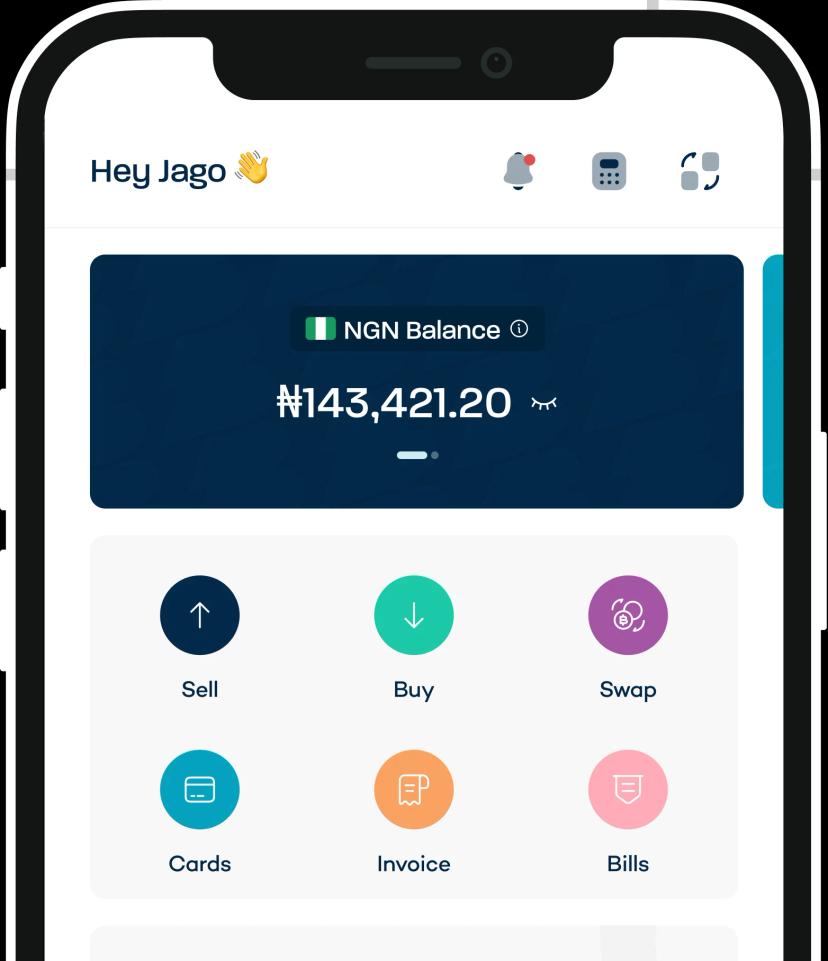
With Breet, you skip the wallet-building step entirely. Sign up, open the USDT (TRC20) option, and Breet shows a personal deposit address immediately. No separate wallet app, no seed phrase to manage. You get a deposit address tied to your account. You send USDT there, and it lands as Naira or Cedis in your bank account.
Breet locks in the exchange rate before the transaction is confirmed. What you see is what lands in your bank. The rate is shown before you commit.
The selling fee is size-based and published: 1.5% for amounts up to $999, 1% for $1,000 to $4,999, and 0.5% for $5,000 and up. The network fee goes to the TRON network itself, not to Breet.
Timing matters too. USDT TRC20 deposits typically reflect within minutes. Breet pays Naira or Cedis to the linked bank account after conversion.
Breet supports TRC20, ERC20, and other major networks side by side. Always confirm the network your wallet displays before sending, and match it to what Breet asks for.
Register on Breet and get your personal USDT (TRC20) deposit address in minutes, and get started selling your USDT for Naira or Cedis immediately.
Use TRC20 the smart way
The distinction between a contract address and your personal wallet address is something you have to be careful about. Confusing the two of them is where people lose money.
The contract address (TR7NHqjeKQxGTCi8q8ZY4pL8otSzgjLj6t) is just shared code, while your personal TRC20 address is where you actually receive funds.
Before sending any USDT, ask yourself two questions: which wallet are you adding this to, and are you sending or receiving?
When you are ready to cash out, sell your USDT for Naira or Cedis straight from your Breet deposit address, with the rate shown before you send.
Frequently Asked Questions
Is USDT TRC20 the same as USDT?
Yes. It is the same token with the same $1 value. The only difference is the network it runs on. USDT on TRC20 uses the TRON blockchain, while USDT on ERC20 uses Ethereum. The token is identical, but the network determines its other properties like fees and speed.
What network does USDT TRC20 use?
The TRON network. TRC20 is TRON’s token standard for fungible tokens, and USDT on TRC20 runs exclusively on that blockchain.
How long does a USDT TRC20 transfer take?
Usually 1-5 minutes. The transaction itself confirms in about 3 seconds on the TRON blockchain, but exchanges typically wait for a round of block confirmations first, which adds up to roughly a minute.
Can I send USDT TRC20 to an ERC20 address?
No. Sending TRC20 USDT to an ERC20 address means those funds are gone for good. The networks are not compatible, and there is no automatic recovery process.
Do I need TRX to receive USDT TRC20?
No. You do not need TRX to receive USDT on TRC20. However, you do need a small amount of TRX to send USDT out, because the TRON network charges its transaction fee in TRX.