- What Is a Transaction Hash in Crypto?
- How to Find and Check a Transaction Hash in Crypto
- Transaction Hash Checker: Top 7 Sites to Check a Transaction Hash
- Features of a Transaction Hash Checker
- Common Transaction Hash Issues and How to Fix Them
- Conclusion
- Frequently Asked Questions (FAQs) About Transaction Hash Checker
When you send money in traditional banking, you get a transaction receipt or reference number. The provided number helps you track the payment; somewhat acts as a transaction identifier. In blockchain, this number is called the transaction hash.
A transaction hash is the only evidence that a transaction has happened on the blockchain. Without the hash, there is no way to validate the payment or track funds.
Hence, understanding the transaction hash is non-negotiable for anyone interacting with cryptocurrency. Let’s take a closer look.
Related:
- Top 11 ways to Recover Lost or Stolen Bitcoin From Scammers
What Is a Transaction Hash in Crypto?
A transaction hash is a unique string of alphanumeric characters that acts as an identifier for a specific transaction on the blockchain. Every time a transaction is executed, the blockchain’s algorithm generates this unique string. It serves as a digital fingerprint, as no two transactions on the blockchain can have the same hash.
Key Characteristics of a Transaction Hash
Here are characteristics of a transaction hash that sheds light on what this string of alphanumeric characters is:
- Uniqueness: It identifies one specific transfer of data or value.
- Immutability: Once generated and confirmed on the blockchain, the hash and the associated transaction details can’t be altered.
- Publicly Verifiable: Anyone with the hash can look up the transaction details on a blockchain explorer. They do not need access to your wallet to see the transaction status.
If the blockchain is a public ledger, the transaction hash in crypto is the specific line number where your transaction is written.
How to Find and Check a Transaction Hash in Crypto
There are several reasons why you need a transaction hash, including checking the status of a transfer. The process of accessing the transaction hash varies on whether you are using a centralized exchange or wallet.
1. Locating the Hash on Centralized Exchanges
When you withdraw funds from an exchange, the platform generates the hash once the network picks up the transfer. Here is how to access the hash:
- Go to your Wallets or Funds section.
- Select History/Transaction History/Withdrawals.
- Find the specific transfer and click on it.
- Look for a field labeled TxHash, Transaction ID, or TXID.
- There is usually a button to “Copy” or a link to “View on Explorer.”
2. Locating the Hash on Private Wallets
Accessing a transaction hash on private wallets is quite different from on centralized exchanges.
- Open your wallet and click on the specific asset you sent.
- Click on the Activity tab or the specific transaction in your history.
- Tap “View on Block Explorer” or look for “Copy Transaction ID.”
Transaction Hash Checker: Top 7 Sites to Check a Transaction Hash
- Blockchain.com
- Etherscan
- BscScan
- TronScan
- BlockChair
- SolScan
- Blockstream Explorer
1. BlockChain.Com Explorer Transaction Hash Checker
How to Check a Transaction Hash on Blockchain.com
Blockchain.com is one of the most popular explorers for Bitcoin transactions.
To check your transaction hash, go to Blockchain.com Explorer. You’ll see a search bar at the top of the page. Paste your transaction hash into the search field and hit enter.
Once the page loads, you’ll see full details of the transaction. This includes:
- Transaction status, whether it is confirmed or unconfirmed
- The number of confirmations
- The sender and receiving wallet addresses
- The transaction fee paid
- The exact time and date
If your transaction has zero confirmations, it means it is still pending. As confirmations increase, your transaction becomes more secure and irreversible.
2. Etherscan Transaction Hash Checker
How to Check a Transaction Hash on Etherscan
Etherscan is the go to explorer for Ethereum and ERC20 tokens like USDT on Ethereum.
To check your transaction, visit Etherscan.io. Paste your transaction hash into the search bar and click search.
You will immediately see:
- Transaction status, success or failed
- Block number
- Gas fee used
- From and To wallet addresses
- Token transfers if it was an ERC20 token
If you are tracking something like USDT ERC20, make sure you are on Etherscan and not a Bitcoin explorer. Using the wrong explorer will show no results.
Related:
- How to Fix Bitcoin Unconfirmed Transactions (Step-by-Step)
3. BscScan Transaction Hash Checker
How to Check a Transaction Hash on BscScan
If your transaction was done on Binance Smart Chain, you need BscScan.
Go to BscScan.com and paste your transaction hash into the search box. Click search and wait for the details to load.
You will see:
- Transaction status
- Number of confirmations
- BNB gas fee paid
- Smart contract interaction details
- Token transfers
This is especially useful for BEP20 tokens. If you sent USDT on BEP20, this is the right place to verify it.
4. TronScan Transaction Hash Checker
How to Check a Transaction Hash on TronScan
Tronscan is used for TRC20 transactions, including USDT TRC20 which is very popular in Nigeria.
To check your transaction, visit Tronscan.org. Paste your transaction ID in the search bar and press enter.
You will be able to see:
- Whether the transaction is confirmed
- The wallet addresses involved
- Bandwidth and energy used
- Token transfer details
If someone tells you they sent USDT via TRC20, this is where you should verify it.
5. Blockchair Transaction Hash Checker
How to Check a Transaction Hash on Blockchair
Blockchair is a multi blockchain explorer that supports Bitcoin, Ethereum, Litecoin, and several other networks.
Go to Blockchair.com and paste your transaction hash into the search bar. The platform automatically detects the blockchain in most cases.
After searching, you can view:
- Confirmation status
- Transaction size
- Fees
- Input and output addresses
This is useful if you are not entirely sure which network was used.
6. Solscan
How to Check a Transaction Hash on Solscan
If you are dealing with Solana transactions, you need Solscan.
Visit Solscan.io and paste your transaction signature into the search bar. Click search.
You will see:
- Transaction status
- Slot number
- Fee paid in SOL
- Wallet addresses
- Token transfers
Solana transactions are usually fast, so confirmations typically happen within seconds.
7. BlockStream Explorer
How to Check a Transaction Hash on Blockstream Explorer
Blockstream Explorer is another trusted Bitcoin blockchain explorer. It’s especially popular with more technical Bitcoin users.
To check a transaction, go to blockstream.info. Paste your transaction hash into the search bar and press enter.
You’ll be able to see:
- Transaction status, confirmed or unconfirmed
- Number of confirmations
- Block height
- Transaction fee rate in satoshis per byte
- Input and output addresses
If you are specifically dealing with Bitcoin and want a clean, Bitcoin only explorer without distractions from other chains, this is a great one to use.
Related:
Features of a Transaction Hash Checker
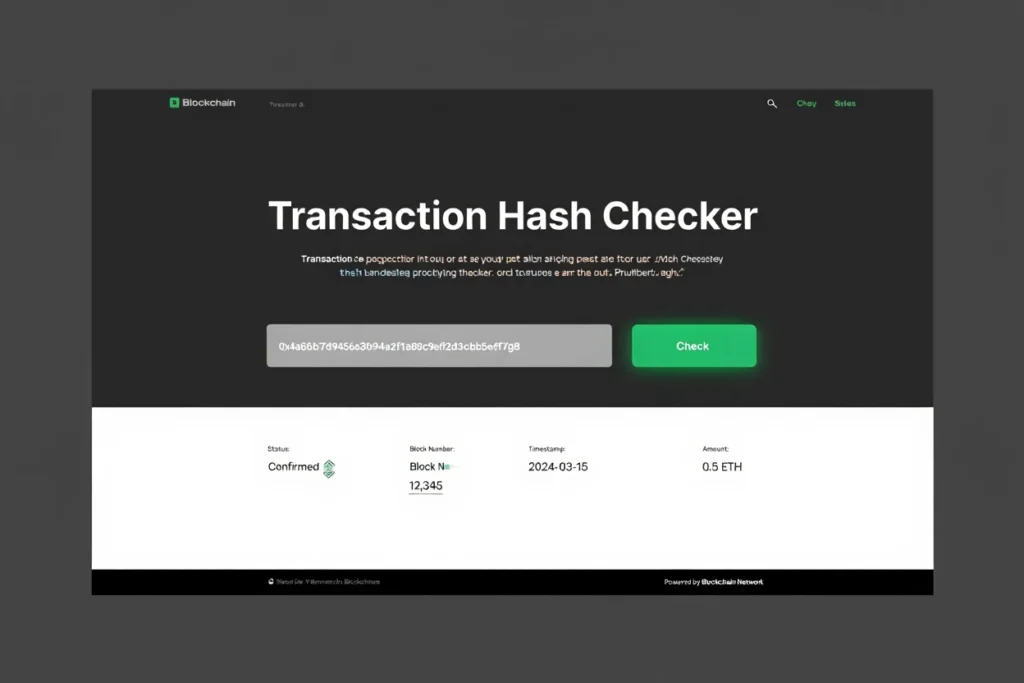
Transaction hash is a string of alphanumeric characters that carry a lot of information. To access this information, you need to paste the ID into a block explorer. Here is how to interpret the information you get:
Status:
This data tells you the current state of the transaction.
- Success: The transaction is complete, and the funds have reflected on the receiving address.
- Pending: The transaction is in the “mempool” waiting for a miner/validator to pick it up.
- Failed: The transaction was rejected. This is often due to low fees or technical errors. When a transaction fails, the funds are reverted to the sender (minus the gas fee).
Confirmations:
A transaction hash checker indicates how many new blocks have been added to the chain since your transaction was included. The higher the number, the more irreversible and secure the transaction is. Most exchanges require 3 to 6 confirmations for Bitcoin before crediting a deposit.
From / To:
The transaction hash checker also reveals the wallet addresses of the sender and the receiver. Always verify the “To” address matches the intended recipient.
Value:
The amount of cryptocurrency sent.
Transaction Fee (Gas):
The total cost you paid to the network to process the transaction.
Timestamp:
The exact date and time the transaction was mined.
Common Transaction Hash Issues and How to Fix Them
A couple of things can go wrong with transaction hash. Here is how to troubleshoot them when/if they arise:
1. Transaction is “Pending” for Hours
Usually, transactions can be on hold for hours if the network is congested. Also, it can be that the gas fee you paid for the transaction was too little to incentivize miners to prioritize your transaction.
To troubleshoot, several approaches exist. First, you can wait. If you aren’t in any rush, the transaction will eventually pick. Alternatively, you can speed up the transaction. Wallets, such as MetaMask, offer the speed up option. It simply runs the same transaction but with a higher gas fee to jump the queue.
2. Transaction Status says “Failed”
This happens in DeFi interactions due to slippage limits or running out of gas. It is quite common, so there is no need to fret.
To troubleshoot, start a new transaction. You can check the error message on the block explorer to know the reason for the failure. Adjust accordingly then transaction again. Remember, you lose the transaction fee of the failed attempt.
3. “Transaction Hash Not Found”
This message pops up when the transaction has not been broadcast to the blockchain yet. Another explanation is it was dropped from the mempool because it was pending for too long.
To troubleshoot, check the time. If it has been over an hour since you did the transaction and the explorer still says Not Found, the transaction probably didn’t happen. Check your wallet balance. The funds should still be there. You may need to reset your wallet or clear the cache to see the correct balance. Learn more on how to troubleshoot unconfirmed transactions.
4. Funds Sent to Wrong Network (e.g., Sending ETH via BSC)
You sent a token to the correct address but selected the wrong blockchain network. This mistake happens to a lot of users.
To troubleshoot, you can recover the funds by configuring your wallet to the network you accidentally used. However, if you use an exchange, you can contact the customer care with the transaction hash. Some exchanges often help recover the funds for a fee. However, many exchanges can’t recover the funds, and it is essentially lost.
Don’t Miss:
- USDT TRC20 Contract Address: What is it & How to Check it?
Conclusion
Transactions need an identifier; otherwise, the blockchain would be a messy soup of unverifiable transactions. If you got this far, you know what the transaction hash is and how to check it. We also explored the common issues and how to troubleshoot them.
Frequently Asked Questions (FAQs) About Transaction Hash Checker
What Is A Transaction Hash Used For?
A transaction hash, also called a TXID, is a unique identifier assigned to every crypto transaction. It is used to track, verify, and confirm a transaction on the blockchain. Think of it as a digital receipt number that proves a transaction was broadcast and recorded.
Is it Safe to Share my Transaction Hash with others?
Yes. A transaction hash only reveals the details of that specific transfer. The details include amount, time, sender/receiver addresses, which are already public on the blockchain. It does not give anyone access to your private keys or the ability to steal your funds.
Can You Track A Bitcoin Scammer?
You can track the movement of Bitcoin sent to a scammer’s wallet using a blockchain explorer. However, identifying the real person behind the wallet is much harder unless the address is linked to a regulated exchange or public identity. Law enforcement agencies can sometimes trace funds when exchanges cooperate.
How To Trace A BTC Transaction?
To trace a BTC transaction, copy the transaction hash (TXID) and paste it into a Bitcoin blockchain explorer such as Blockchain.com or Blockchair. The explorer will show details like the sending address, receiving address, transaction amount, fees paid, and confirmation status. Because Bitcoin runs on a public blockchain, all transactions are viewable using the correct hash.
How To Check Transaction Hash On Binance?
To check a transaction hash on Binance:
- Log in to your Binance account
- Go to Wallet and select Transaction History
- Find the specific deposit or withdrawal
- Click on the transaction to view the TXID
You can then copy the hash and paste it into a blockchain explorer to track the transaction status.
How Do I Verify A Transaction Hash?
To verify a transaction hash, paste it into a blockchain explorer that supports the cryptocurrency you used. The explorer will confirm whether the transaction exists, how many confirmations it has, and whether it has been successfully completed.
Can A Transaction Hash Be Reversed?
No, a transaction hash cannot be reversed once the transaction is confirmed on the blockchain. Cryptocurrency transactions are designed to be irreversible. If a transaction is still unconfirmed, it may sometimes be replaced using specific mechanisms like Replace-By-Fee, but confirmed transactions cannot be undone.
Can I use a Transaction Hash to Reverse a Payment?
No. Blockchain transactions are immutable. You can’t reverse or cancel them once the transaction has been confirmed. The transaction hash is merely a record of the event. It has no form of control mechanism to alter the already-made transaction.
Why do I have a Transaction Hash but no Funds in my Wallet?
There are instances when you get a transaction hash for an incoming deposit but still have an empty account. This happens when the network is congested or the receiving exchange needs to do a number of confirmations before crediting your account. You can check the status using a block explorer with the transaction hash. If it is a success yet your account hasn’t been credited, it is likely a display issue or your exchange’s processing time.
Can Two Different Transactions Have the same Hash?
No. The cryptographic algorithms used by blockchains (like SHA-256 for Bitcoin) ensure that every transaction generates a completely unique hash. Even if you send the exact same amount to the same person twice, the timestamp and nonce will differ, producing a different hash.
What Should I do if I Lost my Transaction Hash?
If you send the funds, you can always find the hash in your wallet’s history. For exchanges, you can access the transaction hash from your withdrawal log. If you are the receiver, you must ask the sender to provide the hash. You can’t access the hash easily without knowing the sender’s address or the exact amount/time.
How To Remove Hash Value?
You cannot remove or delete a transaction hash from the blockchain. Blockchain records are permanent and immutable. Once a transaction is confirmed, its hash and details remain publicly recorded.
Can I Get My Money Back From A Bitcoin Transaction?
In most cases, no. Bitcoin transactions are irreversible once confirmed. The only way to recover funds is if the recipient voluntarily sends the Bitcoin back. If the transaction involved fraud, you may report it to law enforcement, but blockchain transactions themselves cannot be reversed.
Has A Hash Ever Been Reversed?
No confirmed Bitcoin transaction hash has ever been reversed on the Bitcoin blockchain. The network’s design ensures immutability. While rare blockchain reorganizations can temporarily change unconfirmed transactions, once a transaction has multiple confirmations, it is considered final.